Give every project a shape
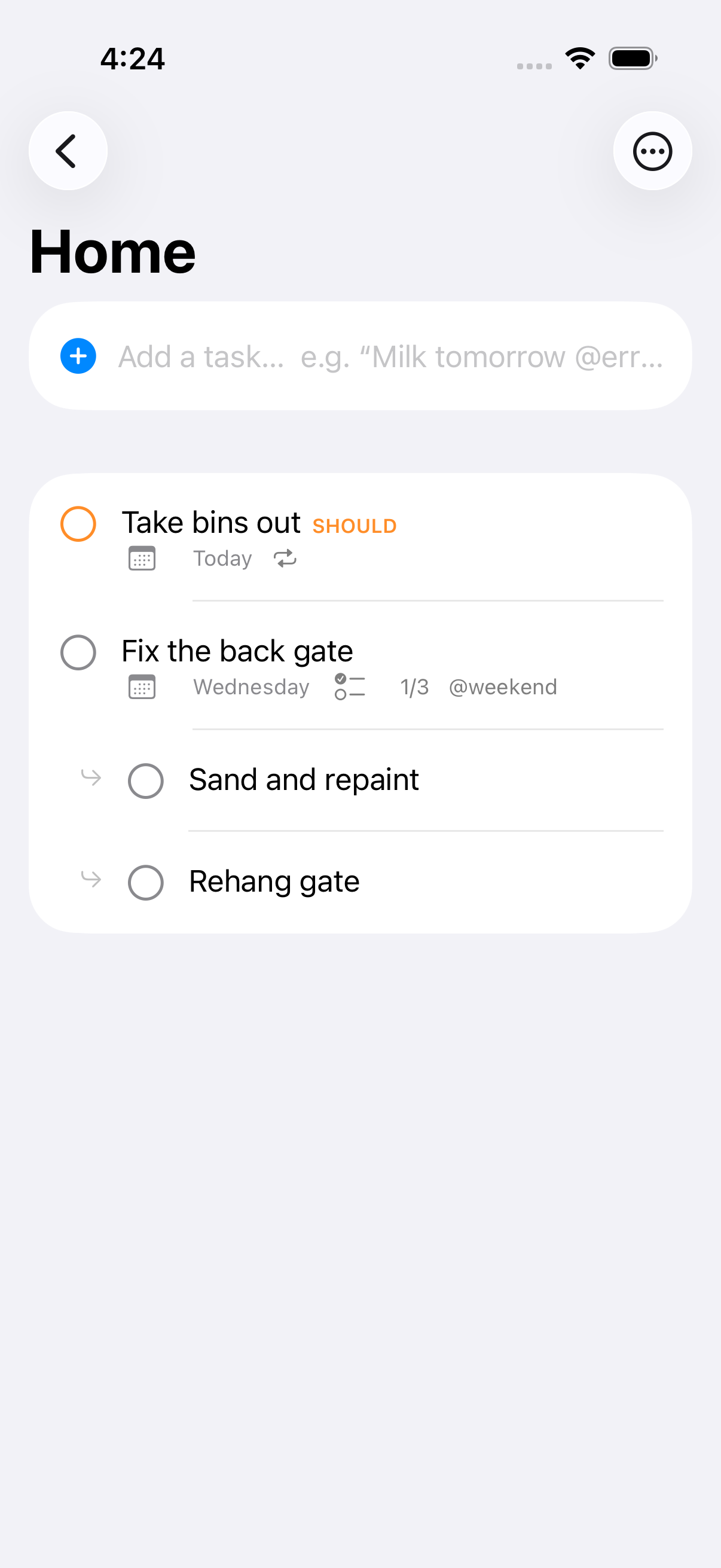
Use projects, sections and subtasks to break a bigger job into manageable steps. Add priorities and tags so the details stay organised.
 Tickitty
For iPhone, iPad & Mac
A place for your plans, projects and things you're waiting on. Make the next step a little easier.
Meet TickittyMade for iPhone, iPad & Mac.
A little more organised
Keep everyday details together, whether you're planning your own day or coordinating a shared project.
Use projects, sections and subtasks to break a bigger job into manageable steps. Add priorities and tags so the details stay organised.
Add photos from your library, or take a photo on a supported iPhone or iPad. Keep the picture of the repair, receipt or idea where you need it.
Attach a PDF, document or other file directly to a task. Open it again from the task’s attachment list. Keep the brief, quote or receipt close at hand.
Record who or what you’re waiting on and set a follow-up date separately from the task’s due date. Bring outstanding follow-ups into view when it’s time to check in.
Share selected projects through iCloud, assign tasks and discuss them in task comments. Keep everyone clear on who’s doing what.
Set recurring tasks, review Today and Upcoming, and look back at completed work in Summary. Capture tasks quickly with explicit date keywords such as “due tomorrow”.
See events from your selected device calendars alongside tasks in Today and Upcoming. Keep what’s booked and what’s due in view.
Ask Siri to add a task or tell you what’s due today. Use Tickitty’s Add Task and Due Today actions in Apple Shortcuts.
Send a link or text to Tickitty through the share menu in supported apps. Your capture becomes a task when you next open Tickitty, with the source link in its notes.
Why I built Tickitty
A note from Tickitty’s creator
After years of trying task managers, I felt like I’d tried them all. I kept finding myself working around gaps in the way I wanted to organise my work and life.
Tickitty started as my own task manager. I built it to bring the task, the details, the people involved and the next follow-up together.
Less jumping between tools. Less remembering where something went. More clarity about the next step.
A little closer every day
Tickitty is available for iPhone, iPad and Mac in Australia, New Zealand, the United States, the United Kingdom and Canada. Version 1.2.2 introduces free Basic task features and optional Advanced AI Assistant access.
Choose light, dark or system appearance and one of six accent colours. Keep the calm layout, and make it feel like yours.
Preview imports from Todoist, Apple Reminders, Things 3 or CSV before saving. Import completed tasks when the source includes them.
Basic is free for tasks, projects, reminders, sharing and sync. Upgrade to Advanced for AI Assistant. Australian pricing is A$4.99 per month or A$39.99 per year; your local price appears in the App Store. You review suggested task changes before saving.
Yes. Download Tickitty from the App Store. Free Basic requires version 1.2.2 or later.
Tickitty supports iPhone and iPad running iOS/iPadOS 17 or later, and Mac running macOS 14 or later.
You can keep tasks locally without iCloud. Syncing between devices and sharing projects use iCloud. Connecting the optional Assistant is a separate step.
Open TestFlight, select Tickitty, then choose Send Beta Feedback. Include your device, the app build number and what happened. Please avoid including private task details in screenshots.